created an LLM which captures group conversations as real-time images and diagrams
Timeline
2 weeks
Role
Full Stack Engineer Product Designer Hardware Engineer Industrial Designer
Budget
$300
Tools
Figma · Cursor · Gemini Raspberry Pi · React FastAPI · Linux
Project Overview
What if designers didn't need to spend time creating mockups to understand each other?
So I designed a handheld device that generates real-time visuals of conversation.
Spoken in meeting
“Can you set up a product brief page? Nav at the top, big hero with a headline and a short subhead, two feature cards side by side below that, and a CTA button centered underneath. Keep it clean.”
Archaic way of working
~15 minYou
Your bestie coworker
Buddy
~4spress generate
Why it matters
Impact
01
64%
found the layout intuitive on first use
02
40%
stopped taking notes once capture was running
03
30%
said visuals aligned the room faster than talk
04
73%
liked the calmer colors and subtle motion for focus
The challenge
One of the largest bottlenecks in design is miscommunication, what if we could create a tool to rectify this issue?
We could create a tool that generates visual interpretations of conversation, helping users surface cultural bias and reach shared understanding faster than words alone.
The Research
Participant
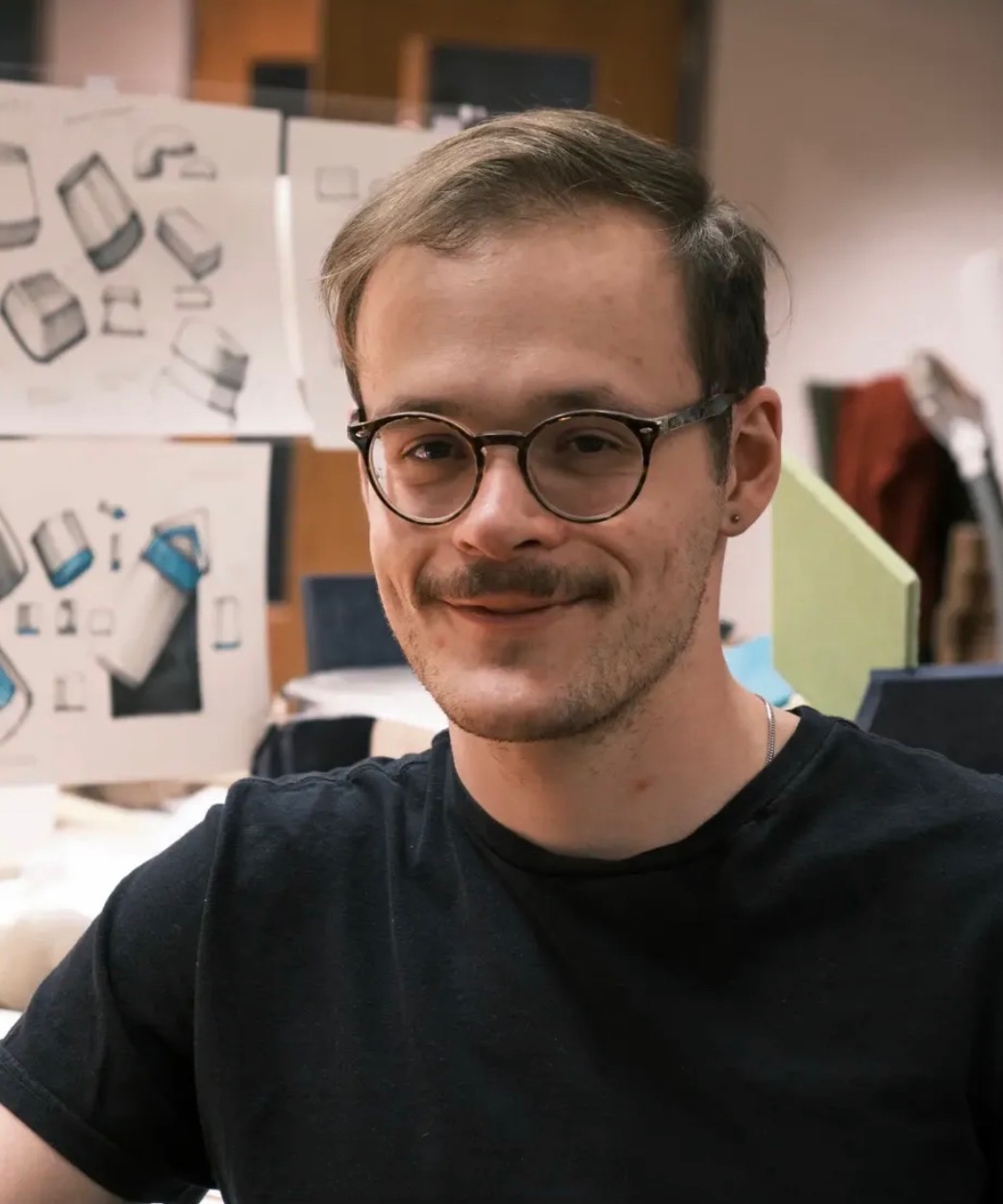
Soren
27 Years Old
Industrial Designer at USM
Frustrations
- Hard to regain alignment when spoken ideas are interpreted differently by each teammate.
- Little visibility into what was actually agreed on once a working session ends.
- Good work still feels like it stalls when concepts are lost to misarticulation or memory.
How Might We
Improve group communication by clarifying ideas visually through real-time LLM image generation?
By giving every spoken idea a visual form the moment it leaves the room.
Ideation
Low-Fi Wireframes
Early Drawings
01
Familiar Layout
Zero learning curve.
02
Visual Output
Pictures over text.
03
On-device Audio
Nothing leaves the room.
04
Passive Form
Ambient, never the focus.
Iteration 1
Selected for constructionDial for changing through iterations, button for on/off on top, and version with an on/off and commit button on the front.
Iteration 3
Send button and an on/off on the front.
Iteration 4
Basic set up with visual as main portion.
Hand-drawn sketches
Design Decisions
The final interaction came from the realization that slight motion, gentle colors and interactive materiality is the most powerful tool in user focus.
No life and distracting.
Didn't even think of the reset button at first. :/
drag · click to cycle
Basic loading states. Stale and not intermingled with the software.
Green background too heavy.
Hi-Fi Mockups

User Testing
Tested with a group of designers and engineers during a live working session.
64%Said the layout was easy to understand but felt extreme to be hardware for such a simple concept.
Next: right-size to mobile or desktop form factor
40%Said it allowed them to focus on the conversation better but now worried if it was generating correctly.
Next: Add live text generation in the future for better monitoring of speech.
30%Said it helped with miscommunication as they saw what they wanted and the other person.
Next: larger shared display to raise alignment rate
73%Liked the less extreme colors and the small, subtle movements of elements on the page.
Next: Keep the subtle motion and colors to allow for best focus.
Some thinkable quotes
“I stopped taking notes halfway through and just focused on the convo.”
“The diagram it made was close but not exactly what we were saying.”
“I'd want this on my phone so I could reference it throughout the day.”
Engineering
Stack decisions
Hardware over app
A device on the table is ambient. A phone in hand is a distraction. The form factor is the argument.
On-device transcription
Audio never leaves the room. Privacy is not a feature. It is the architecture.
Structured diagrams first
Deterministic code-rendered diagrams have no per-call cost. fal.ai only fires when intent is explicitly visual.
Lightweight backend
Sub-100ms handoff between Whisper and GPT-4o. Every added framework feature is latency the conversation pays.
How the stack works end to end
Audio is captured and sent to the Whisper API for transcription. The transcript is passed to GPT-4 for interpretation, extracting the core idea from the conversation. Depending on the output type, either Mermaid.js renders a structured diagram or fal.ai generates an image. The backend runs on FastAPI, the frontend on Vite.
Diagrams made with Mermaid.js (rendered from Python)
system_prompt = f"""
You are a Visual Assistant. You generate Mermaid.js code OR Fal.ai image prompts.

CURRENT MODE: {DIAGRAM | SKETCH} (switch based on intent)

TASK:
1. ANALYZE USER INTENT:
   - Chart, graph, flow, or timeline -> output mode: "DIAGRAM"
   - Scene, photo, texture, or visual style -> output mode: "SKETCH"
   - Referring to "it"/"the image"/"that" -> use CONTEXT HISTORY

2. FOR DIAGRAMS (Mermaid):
   - Return valid Mermaid code only. No backticks.
   - Support: graph TD, mindmap, pie, sequenceDiagram, xychart-beta, gantt.

3. FOR SKETCHES (Images):
   - If refinement, keep core details and apply the change.
   - set "is_refinement": true only if editing the previous image.

Return JSON ONLY:
{ "mode": "DIAGRAM" | "SKETCH", "prompt": "...", "is_refinement": true|false }
"""
# Create a PDF summary to ensure universal accessibility
pdf_buffer = io.BytesIO()
c = canvas.Canvas(pdf_buffer, pagesize=letter)
text_obj = c.beginText(40, 750)
for line in summary_lines:
text_obj.textLine(line)
c.drawText(text_obj)
c.save()
# Package into a downloadable ZIP artifact
zip_file.writestr("session_summary.pdf", pdf_buffer.getvalue())
return StreamingResponse(
io.BytesIO(zip_buffer.read()),
media_type="application/zip",
headers={"Content-Disposition": "attachment; filename=session_export.zip"}
)LLM Persona
Clearly defining the LLM's persona as Visual Assistant produced the cleanest outputs.
Image Generation
Training the model to generate proper images without explicit keywords was the major technical hurdle.
Session Export
Engineered a session-commit function that zips all assets and transcripts into a universal PDF, turning a transient AI conversation into a professional leave-behind.
Hardware
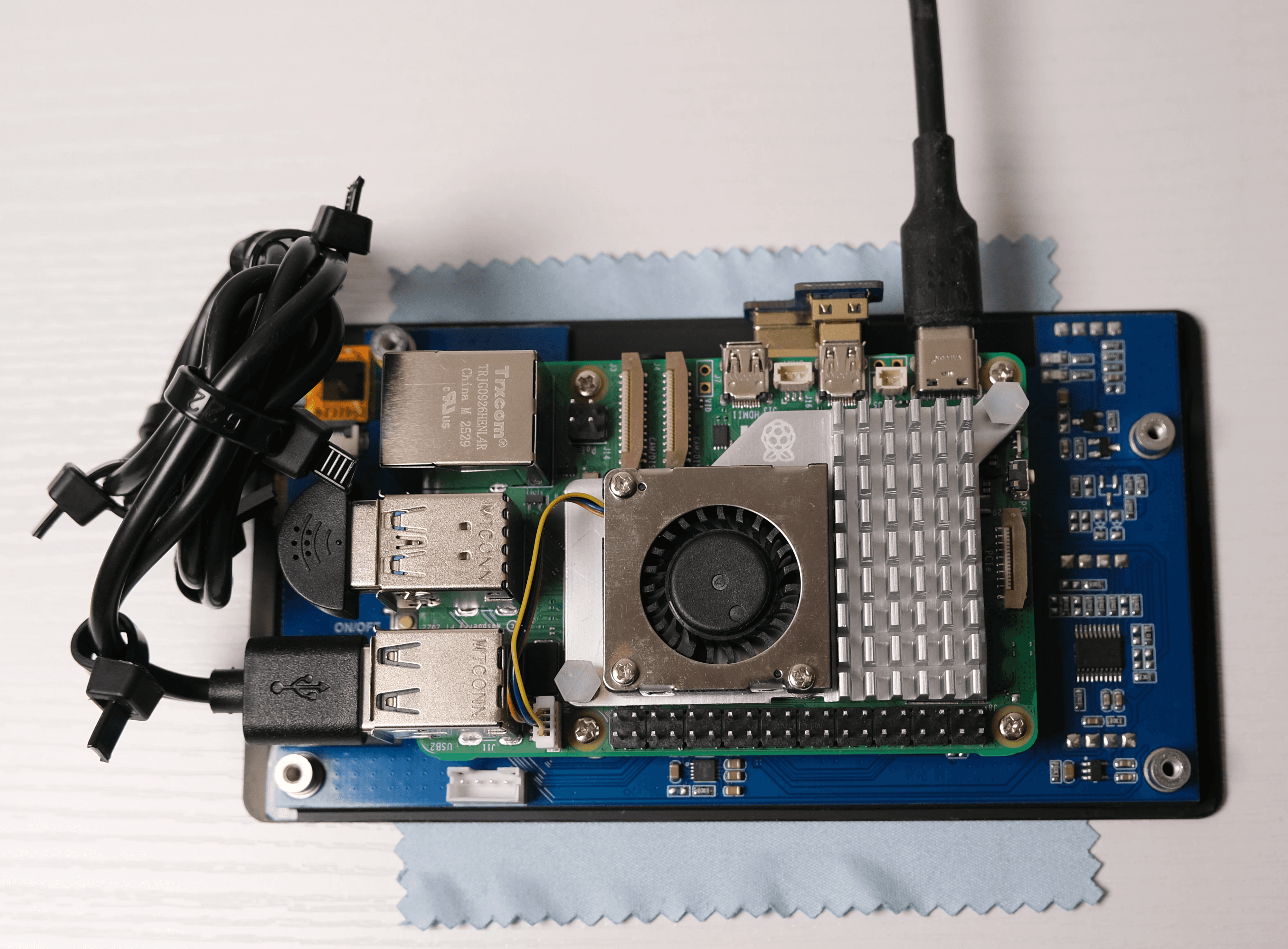
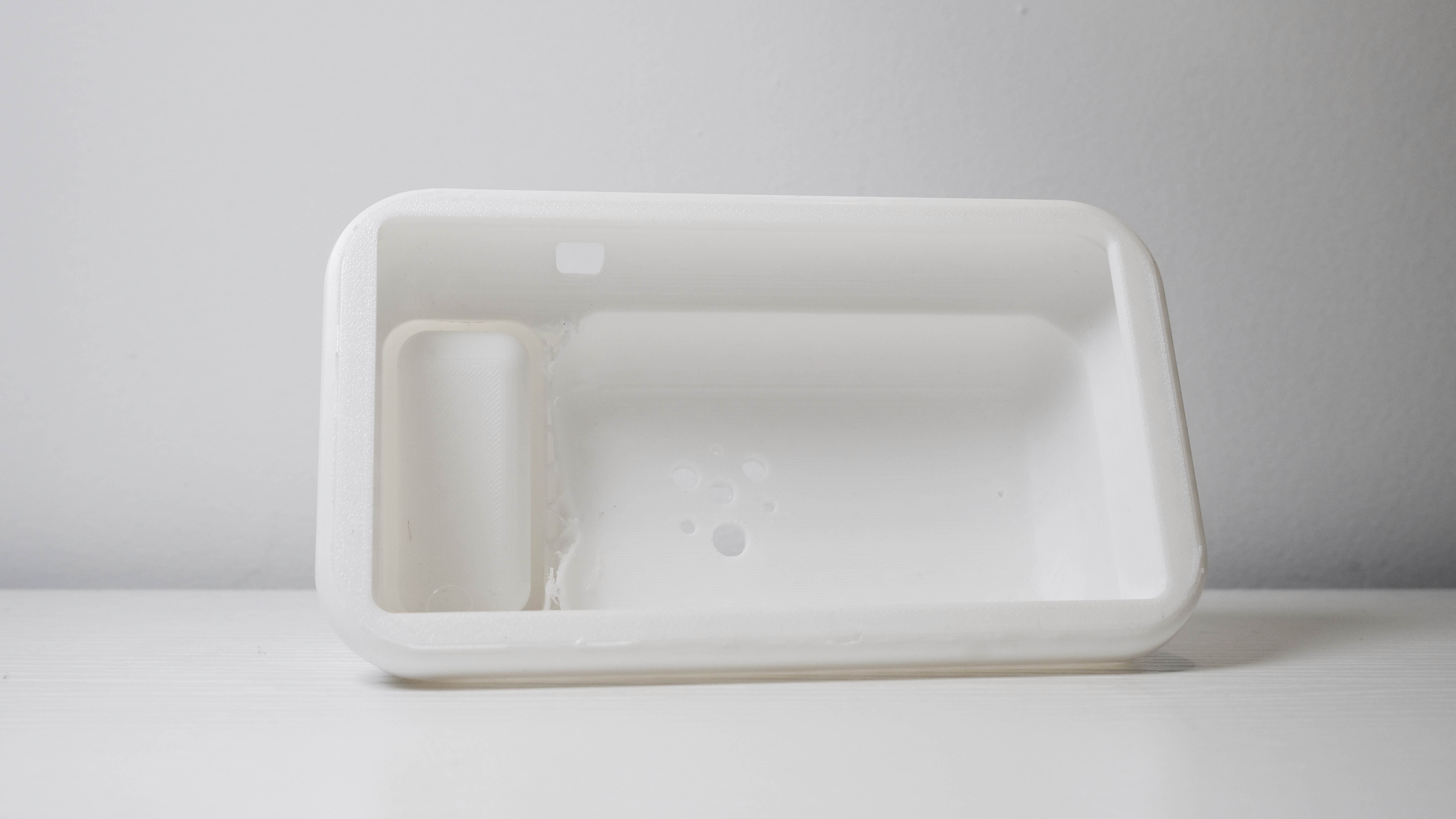
Progress Photos
I designed and 3D-printed the enclosure around a Raspberry Pi. Hardware constraints forced architectural clarity that cloud deployment never would have.
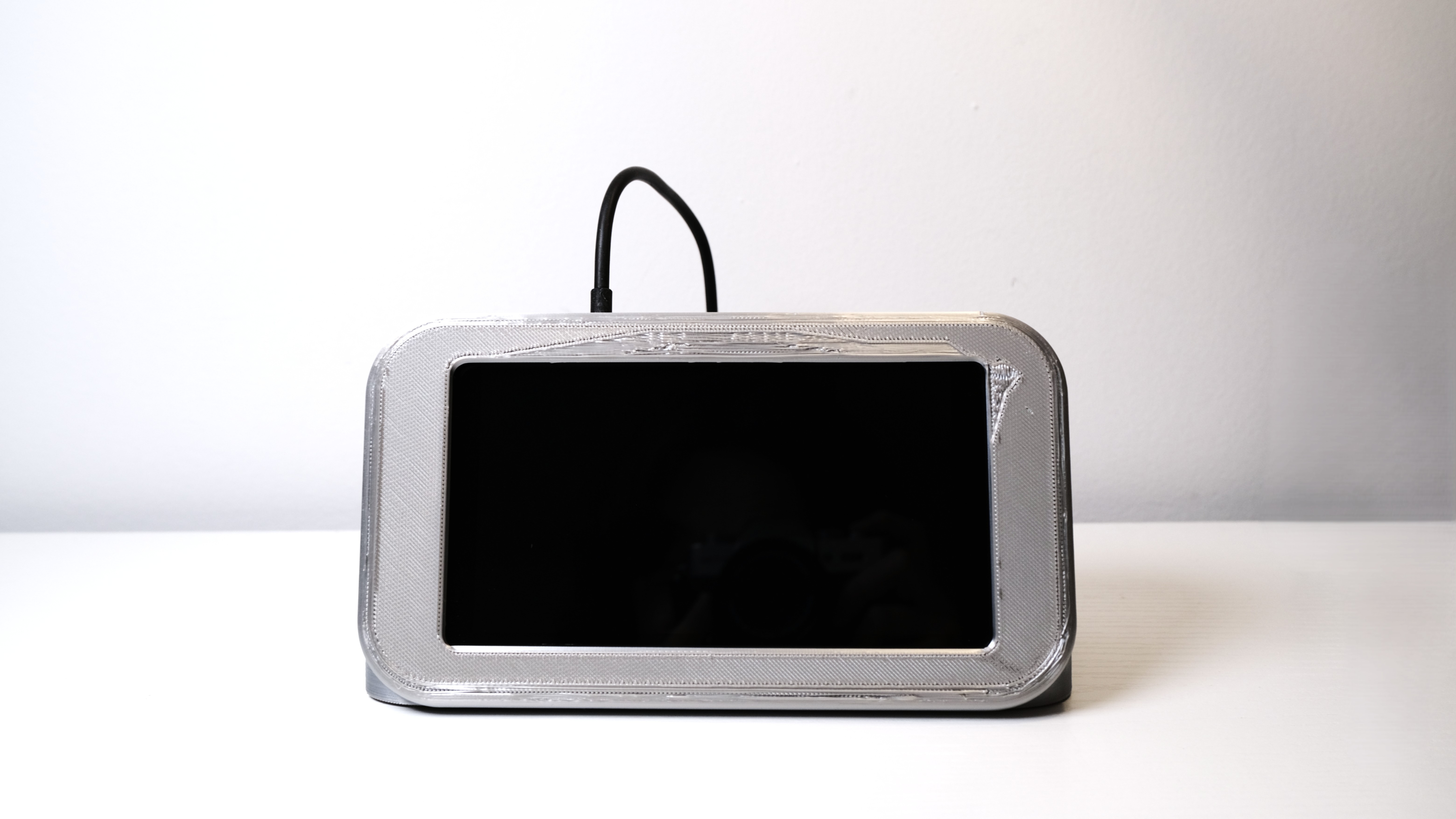
Final Product
The Finished Build
What I Learned
- 1
AI latency is a trust problem, not a speed problem
Budget is the most important constraint. Things get sacrificed just to ship, and to earn enough to fund the next version.
- 2
Hardware constraints force architectural clarity
Scalability needs earlier consideration. Getting hardware running was fun, but a dedicated handheld per person is too expensive at scale.
- 3
The form factor is part of the argument
Complex problems often have simple solutions. It's easy to overdesign. In the words of Mies, less is more.
Impact
Layout & Form Factor
64%
said the layout was easy to understand but felt extreme as hardware for such a simple concept. Mobile or desktop could reduce cost and intimidation.
Ambient Capture
40%
said it let them focus on the conversation but worried whether output was generating correctly. Monitoring images without backtracking is the next UX pass.
Visual Alignment
30%
said it reduced miscommunication because both parties saw the same artifact. A larger screen could raise alignment further.
Session Export
73%
said they preferred the calmer colors and small element movements. Subtle motion and gentle color keep focus where it matters.
Next Steps
- 01
Mobile or desktop form factor. Bring the same layout to phone or desktop software to save costs and right-size the concept away from dedicated hardware.
- 02
Live text generation. Add live text generation in the future so users can monitor speech as it is captured without leaving the conversation.
- 03
Larger shared display. Test screen size and placement so both people can read generated visuals without squinting or crowding the device.
- 04
Subtle motion and color. Keep gentle color and small, purposeful movement so the interface holds focus instead of pulling attention away.
Tradeoff made
The largest tradeoff was not including video. Image-generation APIs are priced per call, and sessions burned through credits quickly—adding live video would have overrun both budget and the two-week sprint. v1 stayed audio → diagram or still image → PDF export; video waits until usage and hardware can support it.
Every hardware decision bent toward keeping the bill of materials under $300. An external battery replaced an internal cell—lithium cost and assembly complexity were harder to justify than a sealed USB pack. The Raspberry Pi was a step down from the RAM target; more memory would have helped concurrent transcription and generation, but unit cost had to win for v1.
Bibliography
Links
- Arias, Ernesto G., and Gerhard Fischer. "Boundary Objects: Their Role in Articulating the Task at Hand and Making Information Relevant to It." International ICSC Symposium on Interactive and Collaborative Computing. University of Colorado Boulder, 2000. l3d.colorado.edu
- Brubaker, E. R., S. D. Sheppard, P. J. Hinds, and M. C. Yang. "Objects of Collaboration: Roles of Objects in Spanning Knowledge Boundaries in a Design Company." 34th International Conference on Design Theory and Methodology. MIT, 2022. dspace.mit.edu
- Huang, Y.-H. "Understanding the Collaboration Difficulties Between UX Designers and Developers in Agile Environments." Masters thesis, Purdue University, 2018. Documents wasted time on rework, revisions, and misaligned handoffs; aligns with ~7.5 hrs/week lost to poor communication (Grammarly / Harris Poll, 2023). docs.lib.purdue.edu
- Forrester Consulting. "The Total Economic Impact of Figma." Commissioned by Figma, 2024. Composite organization: 35% productivity gain in development; 60% faster ideation and creation workflows. figma.com
- Grammarly and The Harris Poll. "State of Business Communication." 2023. Knowledge workers lose ~7.5 hours/week to poor communication; firms with 500 employees lose $6.25M/year resolving communication issues. At 56% less meeting waste, equivalent savings ≈ $3.5M/year for the same org size. grammarly.com
- Fellow.app. "The State of Meetings Report 2024." Survey of how teams run meetings, time spent, and productivity impact. fellow.ai